⭐
Task Tracker
Sign in to access your family's tasks
Continue with Google
or
Sign In
Don't have an account?
Sign up
Forgot password?
🏠 Tracker
⚙️ Settings
Sign out
🔐 Parent Admin
Enter your PIN to continue
Unlock
Cancel
⚙️ Parent Settings
loading
👋 Welcome! Let's get set up.
Here are a few things to configure before sharing with your kids:
✕ Dismiss
👦
Add your kids and customize their names, icons & colors
Go ↓
📋
Change the default task lists
Go ↓
📅
Adjust schedules — which tasks appear on which days
Go ↓
📅 This Week — Daily Earned
⚙️ Settings
🔊 Sounds
Task check sounds & ca-ching on spend
✨ Star animations
Burst of stars when tasks are checked
🏠 App Title
Custom title shown at the top of the tracker. Leave blank to auto-generate from kid names.
Save
Clear
🔐 Enable Parent PIN
Require a PIN to access Parent Settings. Off by default.
Default PIN is 1234. Enter your current PIN and a new one to change it.
Update PIN
👦 Kids (up to 5)
+ Add a Kid
Changes apply immediately to the tracker page.
📑 Tabs (up to 5)
+ Add a Tab
The "No day picker" toggle makes a tab like Weekend — always shows today, no day selector.
📋 Default Tasks
Select a tab and a kid to configure which tasks appear on each day for that child. Each child can have their own set of default tasks.
🔄 Auto-Reset Schedule
When enabled, the bank resets automatically on a schedule — earned minutes and adjustments both clear.
Enable auto-reset
Automatically reset the bank on a schedule
Frequency
Weekly
Monthly
Day of week
Which day the reset happens
Monday
Tuesday
Wednesday
Thursday
Friday
Saturday
Sunday
Day of month
1–28 recommended
Reset hour
24h local time (e.g. 3 = 3 am)
Last reset
Never
Reset Bank Now
⚠️ Danger Zone
Reset All Checkboxes
Clear All Adjustments
Full Reset (Checkboxes + Bank)
Loading... ⭐
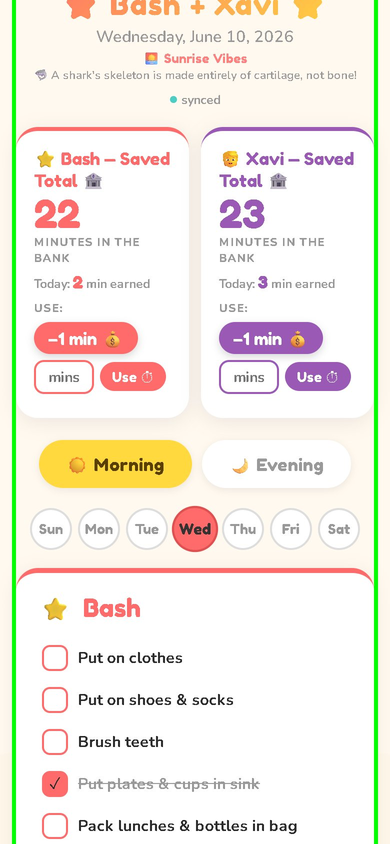
⭐ Task Tracker ⭐
loading
🔔 Reminders
🔄 Reset Checkboxes
v1.3.14